 Gacha Nebula
 vs Gacha Nox: Which Should You Use?
If you have been in the Gacha community for a while, you have heard both names. Gacha Nox was the legendary mod everyone used, and then it vanished. Gacha Nebula appeared in its place, made by the same creator, and now players keep asking the same question: in the Gacha Nebula vs Gacha Nox debate, which one should you actually play in 2026?
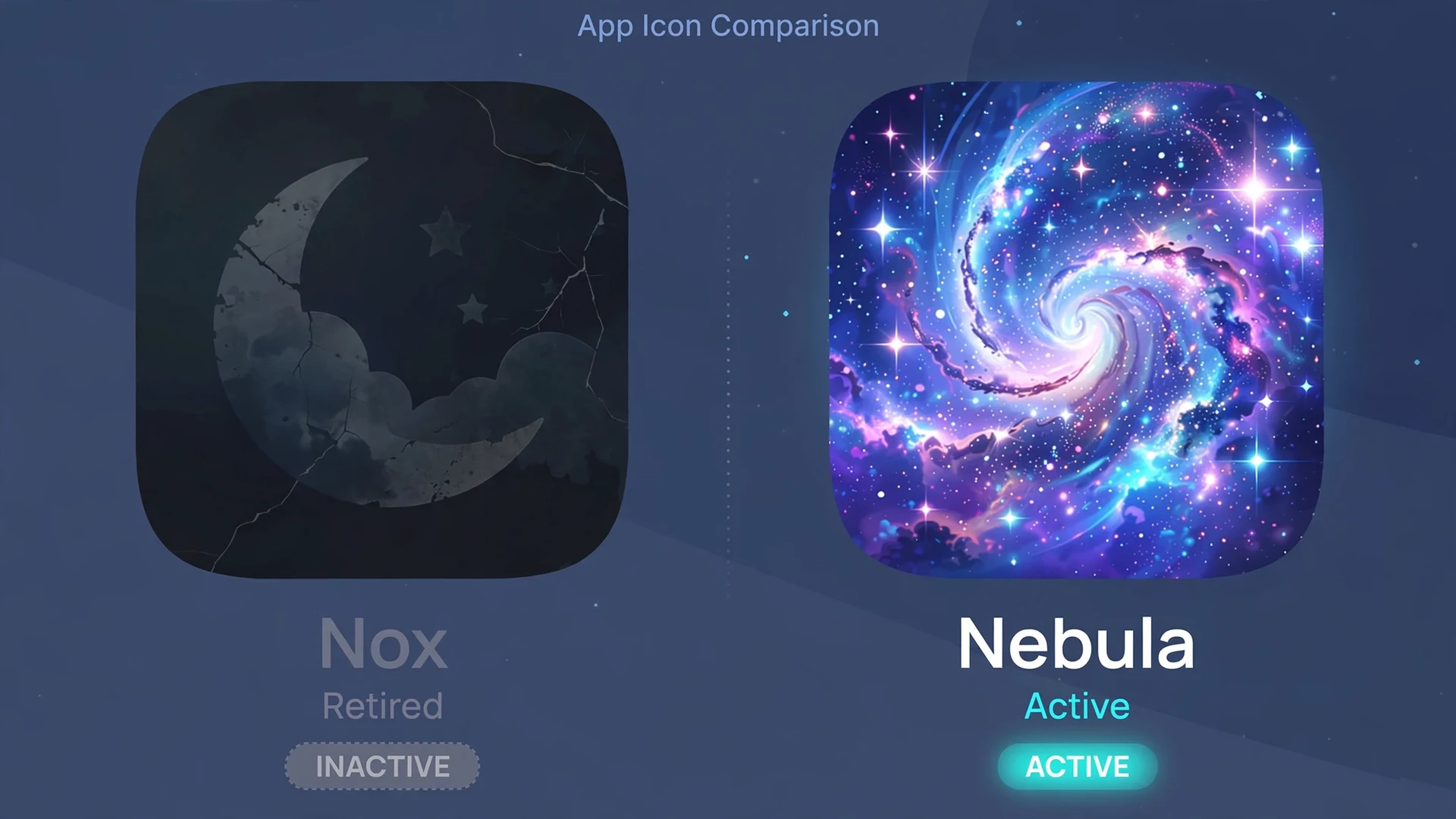
Here is the short version before we go deeper. Gacha Nox was taken down by its own creator, Noxula, after a controversy over copied assets. It is not coming back, and the copies floating around the internet are unofficial re-uploads you should avoid. Gacha Nebula is the official successor in the Gacha Nebula vs Gacha Nox story, rebuilt with original and properly credited assets, and it is the only one of the two that is still updated and safe to download.
That one paragraph answers the question for most people. But the full story is worth knowing, because it explains why Nebula looks the way it does, what you keep and lose when you switch, and which myths about both mods you should ignore. This guide covers the honest history, a feature-by-feature comparison, and a clear recommendation.
Quick answer: Gacha Nebula vs Gacha Nox is not really a fair fight anymore. Nox was discontinued by its creator over plagiarized assets and receives no updates, while Nebula is the actively developed successor with a larger vetted asset library, a galaxy themed interface, and official downloads on itch.io. If you are choosing today, pick Gacha Nebula.
The Honest History: What Happened to Gacha Nox
To understand the Gacha Nebula vs Gacha Nox question, you need the backstory. It is one of the more dramatic chapters in Gacha modding history, and most download pages either skip it or get it wrong.
The rise of Gacha Nox
Gacha Nox was a Gacha Club mod created by Noxula, a well known GachaTuber and modder. At its peak it was the gold standard of Gacha mods, with hundreds of extra assets, new backgrounds, and effects that the base game did not offer. FileHorse's listing credits it with over 300 customizable assets, and its fanbase was enormous. This is where any Gacha Nebula vs Gacha Nox comparison has to start, because Nox set the bar that Nebula later cleared. If you watched GachaTube videos a few years ago, half the creators you followed were using Nox.
Why Noxula took it down herself
This is the part people get wrong, and it is the single most important fact in the Gacha Nebula vs Gacha Nox debate. Gacha Nox was not shut down by some outside force. According to the GachaMods Wiki, access to Gacha Nox was restricted after a controversy, and Noxula herself took down all promotional material and apologized publicly. The issue was plagiarized designs: some assets in the mod had been taken from other artists without permission. The official itch.io page for Gacha Nox is now marked as cancelled, and Noxula has stated directly that Nox is cancelled and that players should not download copies from unofficial stores.
That matters for one practical reason. Any Gacha Nox APK you find today is an unofficial re-upload. One itch.io community member put it plainly: Nox is not back, someone stole the download and re-uploaded it, and Noxula is not putting Nox back up. We will come back to why that makes those copies risky.
How Gacha Nebula became the successor
Rather than abandoning the project, Noxula rebuilt it. Gacha Nebula is the official successor, created by Noxula with collaborators, and the core idea behind it was a clean start: every asset in Nebula was vetted or created from scratch so the copyright problems that killed Nox could not repeat. The community largely rallied behind the transition, helping with bug reports and asset suggestions, which is why Nebula launched with such a strong foundation.
So when people say Nebula is just renamed Nox, that is not quite right. It is a successor built on the lessons of Nox, with a new identity, a space themed interface, and a much stricter approach to where its art comes from. That clean-break origin is the whole reason the Gacha Nebula vs Gacha Nox question has a clear answer today. If you want the fuller picture of what Nebula actually is as an app, our what is Gacha Nebula guide breaks it down from scratch.
Gacha Nebula vs Gacha Nox: Feature Comparison
Now the practical part. Here is the Gacha Nebula vs Gacha Nox feature breakdown on the things players actually care about, based on the current Nebula release and the last state of Nox before it was taken down.
| Feature | Gacha Nebula (current) | Gacha Nox (discontinued) |
|---|---|---|
| Development status | Actively updated, latest release v1.7.0.2 | Cancelled, no updates since takedown |
| Asset library | More than 1,500 new items, backgrounds, and poses | Around 300 extra assets at its peak |
| Asset sourcing | Vetted or original, with in-app creator credits | Included plagiarized designs (the reason for the takedown) |
| Interface theme | Galaxy and space themed UI | Standard modded UI of its era |
| Color customization | No limits on colors, gradients, Display Color mode | Standard Gacha Club color options |
| Eye and face detail | Improved pupil masking for more expressive eyes | Basic pupil options |
| Character and pose slots | Extra slots for characters and poses | Standard slot counts |
| Backgrounds and foregrounds | Large library of new scenes and filters | Smaller set of added backgrounds |
| Soundtrack | New original music | Default Gacha Club audio |
| Official download source | noxula.itch.io/gacha-nebula | None (official page cancelled) |
| Safety verdict | Safe from the official source | Unsafe copies only, creator discourages downloading |
What Nebula kept from Nox
If you loved Nox, Nebula will feel familiar in the ways that matter, which is why the Gacha Nebula vs Gacha Nox switch feels painless for most players. The core workflow is the same: deep character customization, a Studio Mode for building scenes, and the general structure of Gacha Club underneath. The spirit of the mod, a bigger creative toolbox for Gacha creators, carried over completely. Creators who make videos will find the content creator guide useful for getting their setup moved over efficiently.
What Nebula changed or rebuilt
Almost everything else got an upgrade. The asset library is several times larger, the interface was redesigned around a galaxy theme, and the creator credit system means you can tap an item to see who made it, which directly addresses the problem that ended Nox. Color customization is far more open, with gradients and unlimited hues instead of fixed palettes. Performance and bug fixes have also continued through regular updates, which a discontinued mod can never offer. Curious whether the current version is the real official one? Our Gacha Nebula 1.7.0.2 breakdown verifies the latest release.
Switching From Nox to Nebula: What Carries Over
The most common follow-up to the Gacha Nebula vs Gacha Nox question is practical: I have OCs in Nox, what happens to them? Here is the honest answer.
Your OCs can move, with one caveat
For most players, the Gacha Nebula vs Gacha Nox migration comes down to one thing: OCs. Gacha Nebula supports character import and export codes, so you can transfer OCs between installs. In many cases a code exported from one version will import into Nebula just fine. The caveat is the asset cleanup: because Nebula removed the copied assets that caused the Nox controversy, any OC built around those specific items may load with substitutions or missing pieces. Expect to touch up a few characters rather than getting a perfect one to one transfer. Our Gacha Nebula codes guide walks through the import and export process step by step, including how to back up before you move anything.
The workflow feels like home
Character creation, Studio Mode scenes, and posing all work the way Nox veterans remember, just with more options. If anything, the learning curve runs the other direction: Nebula has so many more assets that longtime Nox users sometimes feel overwhelmed for the first hour. The Studio Mode guide and the character customization guide are good places to get oriented with the new tools.
What does not carry over
Nox-specific items that were removed in the copyright cleanup will not appear in Nebula, and there is no update path that converts a Nox install into Nebula automatically. Treat it as a fresh install and a fresh start, which is honestly the cleanest way to do it. Before reinstalling anything, read our guide to updating without losing data so your OCs and scenes survive the process.
Gacha Nebula vs Gacha Nox: Which One Should You Use in 2026?
Time for a straight recommendation. This is not close, and you deserve a direct answer rather than a both sides hedge.
Choose Gacha Nebula if you want a mod at all
If you searched Gacha Nebula vs Gacha Nox hoping for a close contest, here is the honest verdict: Nebula wins on every axis that matters. It is still updated, its assets are properly sourced and credited, its library is far larger, and it has an official download page. There is no category in which the discontinued version of Nox beats the current version of Nebula. If you are deciding between the two names you saw in a YouTube comment, the answer is Nebula, every time.
Do not install old Gacha Nox copies
This is the least ambiguous part of the Gacha Nebula vs Gacha Nox safety picture. Because Nox was popular, re-uploaded copies still circulate on random APK sites. These are unofficial, unmaintained, and the creator herself discourages downloading them. An old APK from an unknown uploader can be bundled with anything, and there will never be a security fix for it. If safety is on your mind, our is Gacha Nebula safe guide explains how to tell a trustworthy download from a risky one.
| Your situation | Recommended pick |
|---|---|
| You are a former Nox user | Switch to Gacha Nebula, rebuild touched-up OCs with codes |
| You are new to Gacha mods | Start with Gacha Nebula directly, skip Nox entirely |
| You found a Nox APK on a random site | Do not install it, get Nebula from itch.io instead |
| You want the biggest asset library | Gacha Nebula, by a wide margin |
| You care about supporting original artists | Gacha Nebula, with its creator credit system |
Can You Run Both Mods at the Same Time?
Technically, two different APKs can coexist on one Android device as long as they use different package names, and many players keep several Gacha mods installed side by side. But in the Gacha Nebula vs Gacha Nox case, there is no good reason to do it. Keeping a discontinued, unofficial Nox copy next to Nebula only adds risk for zero benefit, since everything Nox offered exists in better form inside Nebula.
If your goal is simply trying different mods, a far better second install is the original Gacha Club itself, which lets you compare the mod against the base game. Our Gacha Nebula vs Gacha Club comparison covers that matchup in detail. And if you are on a computer rather than a phone, Nebula runs on desktop too, see our guides for Windows, Mac, and PC without an emulator.
Where to Download Each Mod Safely
Download sources are where the Gacha Nebula vs Gacha Nox story gets practical, because one mod has a safe front door and the other only has back alleys now.
The only safe source for Gacha Nebula
Gacha Nebula is officially distributed through Noxula's itch.io page at noxula.itch.io/gacha-nebula. That page is run by the development team and is where new releases appear first. Any other site offering Nebula is a mirror at best, so when in doubt, start at itch.io. Our where to download Gacha Nebula guide lists the trustworthy options and the red flags to watch for.
Why there is no safe source for Gacha Nox
There is no official Gacha Nox download anymore, full stop. The itch.io page is cancelled, and Noxula has asked players not to download it from third party stores. Every Nox APK online today is an unofficial copy of a discontinued build with known content problems, uploaded by someone with no connection to the creator. Installing one is the exact scenario our safe APK installation guide warns against, and the old versions page explains why outdated builds cause extra headaches like broken slots and crashes. If the app misbehaves after install, the crashing fix guide and the app not installed fix cover the most common issues.
Myths About Gacha Nebula vs Gacha Nox You Should Ignore
The Gacha Nebula vs Gacha Nox discussion has been running for years, and misinformation has had time to grow alongside it. Let us clear up the big ones.
Myth: Nebula has PvP, multiplayer, or marriage systems
False. Some spammy download pages describe multiplayer battles, PvP arenas, and family systems. Neither Nebula nor Nox has any of these. Both are single player creative mods built on Gacha Club's Studio, character creator, and mini games. If a site lists online multiplayer as a feature, it is describing a different game and you should not trust anything else on that page.
Myth: Gacha Nox is coming back
There is no evidence for this. Noxula cancelled the project herself, marked the page as cancelled, and has directed all future development to Gacha Nebula. Claims that Nox has returned almost always trace back to stolen re-uploads, not to the creator.
Myth: Nebula is just Nox with a new name
As covered above, Nebula is a rebuild, not a rename. The asset library was re-sourced, the interface was redesigned, and systems like creator credits were added specifically because of what went wrong with Nox. Calling it a rename undersells how much changed.
Myth: There is a Gacha Nebula iOS version on the App Store
No. Like most Gacha mods, Nebula is distributed as an Android APK and through itch.io, not through Apple's App Store. Pages claiming an official iOS release are misleading. iPad owners should read our Gacha Nebula on iPad and Gacha Nebula for iOS guides for what is actually possible, and Chromebook users have their own Chromebook guide.
Conclusion: The Gacha Nebula vs Gacha Nox Story in One Line
If you remember one sentence from this whole comparison, make it this one: Gacha Nox was a great mod that its own creator retired over copied assets, and Gacha Nebula is the bigger, cleaner, actively updated successor she built to replace it. In the Gacha Nebula vs Gacha Nox decision, there is no reason to hunt down an old, unofficial Nox copy when the official successor is free, larger, safer, and still improving. Download Nebula from the official itch.io page, bring your OCs over with export codes, and you will have everything you loved about Nox without the baggage that ended it. For the latest on where the mod goes from here, keep an eye on our Gacha Nebula download homepage, which tracks new releases as they land.
Frequently Asked Questions
What happened to Gacha Nox?
Gacha Nox was taken down by its own creator, Noxula, after a controversy over plagiarized assets included in the mod. She removed all promotional material, apologized publicly, and marked the official itch.io page as cancelled. The project is discontinued and receives no updates, which is why players moved on.
Is Gacha Nebula the new Gacha Nox?
Gacha Nebula is the official successor to Gacha Nox, made by the same creator, Noxula. It is not simply a rename. Nebula was rebuilt with vetted and original assets, a new galaxy themed interface, a much larger item library, and a creator credit system designed to prevent the problems that ended Nox.
Which is better, Gacha Nebula or Gacha Nox?
Gacha Nebula is better in every meaningful way, so the Gacha Nebula vs Gacha Nox verdict is not close. It is actively updated, has more than 1,500 new items compared to Nox's roughly 300, uses properly sourced assets with creator credits, and can be downloaded from an official source. Nox is discontinued and only exists as unofficial, unmaintained copies.
Can I still download Gacha Nox?
There is no official Gacha Nox download anymore. The creator cancelled the project and discourages downloading it from third party sites. Every Nox APK online today is an unofficial re-upload of a discontinued build. Installing one risks malware and broken content, so you are better off downloading Gacha Nebula from itch.io.
Can I transfer my OCs from Gacha Nox to Gacha Nebula?
In many cases yes, using character import and export codes, which is the practical side of the Gacha Nebula vs Gacha Nox switch. However, because Nebula removed the copied assets that caused the Nox controversy, OCs built with those items may load with substitutions. Back up your characters first, then import and touch up anything that looks off.
Is Gacha Nebula safe to download?
Yes, when you download it from the official source, which is Noxula's itch.io page. Like any fan mod distributed as an APK, you should avoid random mirror sites and always scan downloads. Stick to the official page and verified guides, and never install a mod from a site that bundles extra software.
Does Gacha Nebula have multiplayer or PvP?
No. Neither Gacha Nebula nor Gacha Nox has multiplayer, PvP battles, or marriage systems. Both are single player creative mods built around character customization, Studio Mode scenes, and mini games. Download pages that list online multiplayer as a feature are describing a different game and should not be trusted.
Will Gacha Nox ever come back?
There is no indication that it will. Noxula cancelled the project herself and has put all development effort into Gacha Nebula as its replacement. Claims that Nox has returned usually trace back to stolen re-uploads rather than anything from the creator. Follow Nebula's itch.io page for the actual future of the project.